
Organize
Keep documents, conversations and working files grouped locally.
Sealarca
Organize your documents and analyze dossiers with source references. Preparation and profile aggregation stay local; profile generation and chat use the Sealarca service.
ZIP archive v1.2.0 · SHA-256 checksum published separately
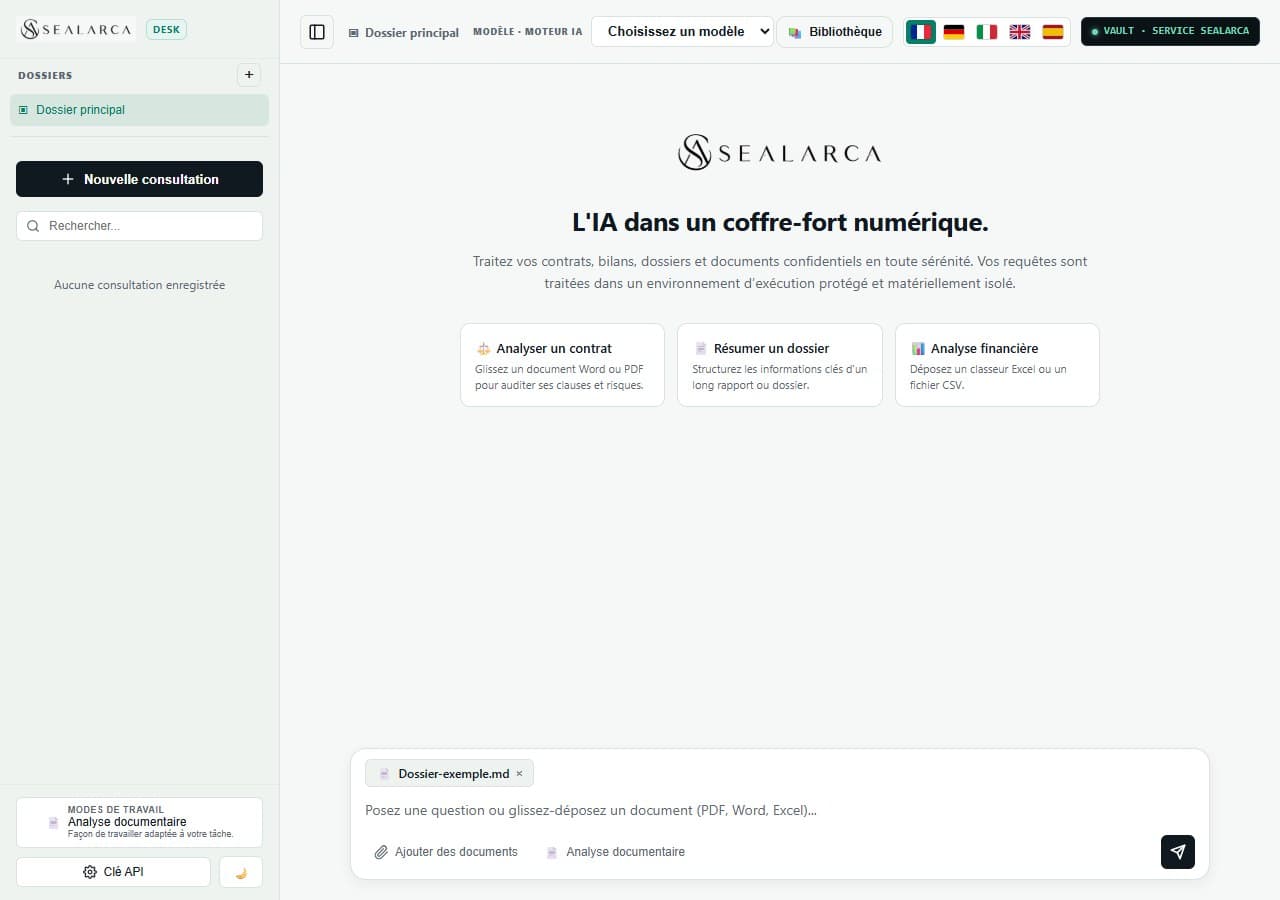
Keep documents, conversations and working files grouped locally.
Ask about selected content and continue the consultation in the same thread.
Find useful information and select excerpts that provide context for the request.
A local document workspace to organize multiple documents, analyze a dossier and inspect the sources behind results. Document profiles and chat use Sealarca.
Sealarca is for organizations handling sensitive information, whether protected by professional secrecy, strategy or internal know-how.
These examples illustrate possible uses. They do not mean that the models are specialized or certified for these sectors.
Create your Sealarca account in a few seconds.
Top up your account to have usage credit available.
Generate your Sealarca access key in a few simple steps.
Work with your documents or integrate Sealarca into your tools.