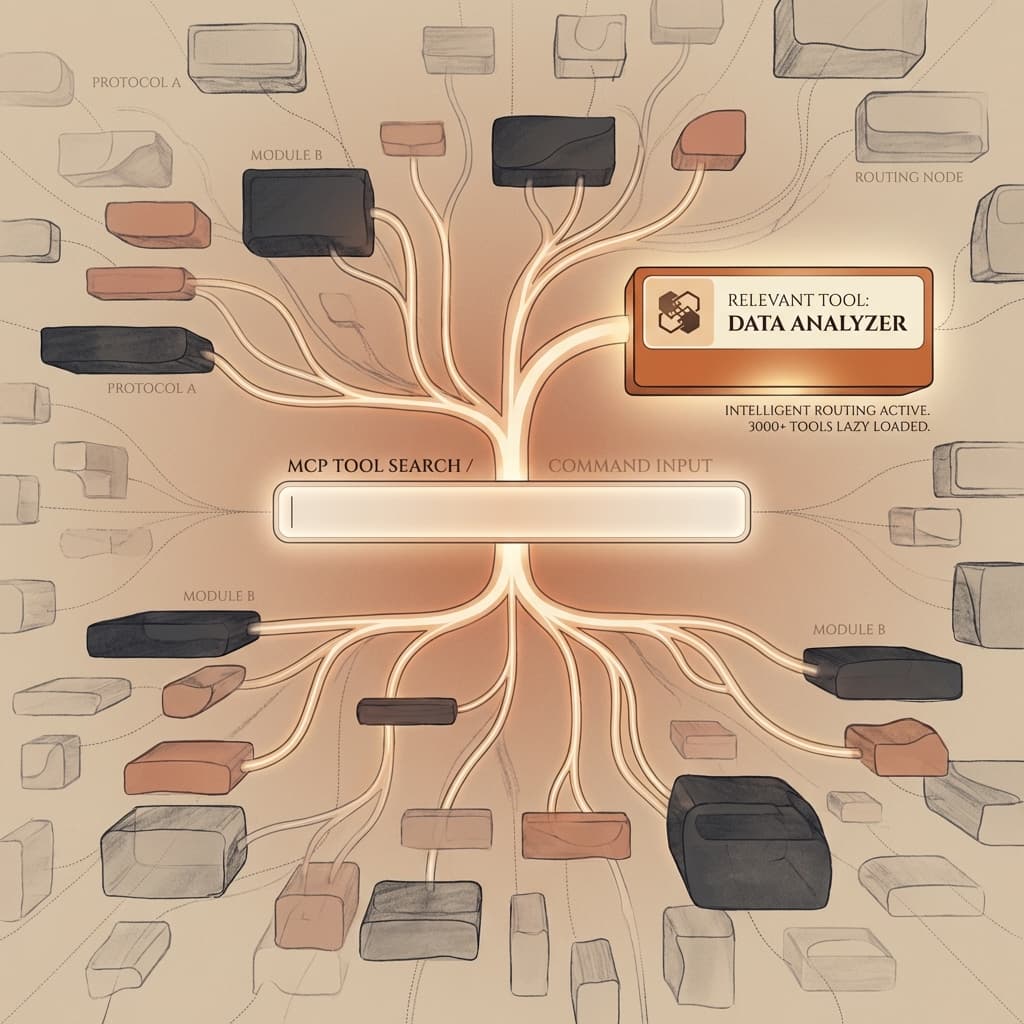
If you use Claude Code (Anthropic's CLI agent) with multiple MCP (Model Context Protocol) servers, you've likely encountered this frustrating problem: your prompt remains reasonable, but tool descriptions explode and eat up a huge chunk of the context window.
The symptom is insidious. The model starts reasoning with less space, answers become unstable, and you get the unpleasant feeling of "paying" tokens for technical manuals you won't even use in the current conversation.
Anthropic recently tackled this critical friction point with MCP Tool Search, a feature that switches tool management to on-demand loading (lazy loading). Here is why this is a fundamental shift for AI agent scalability.
The Problem: When Descriptions Saturate Context
In the MCP architecture, each server exposes a list of tools with their names, parameters, JSON schemas, and descriptions. This is very convenient for the model to know what exists. But in a realistic production environment, you never connect just a single isolated server. You tend to plug in an entire ecosystem:
- A server for the file system (git repo)
- A Web server for search
- DevOps servers (CI/CD, deployment, logs)
- Business servers (Database, Jira tickets, CRM)
- A multitude of custom scripts
Each server can expose dozens of tools. Until now, Claude Code worked in Eager Loading mode: all definitions landed in the context at startup. Result: your "mental workspace" (reasoning, planning, code) ended up compressed by useless definitions.
This is exactly the anti-pattern that modern software engineering tries to avoid: you don't load all of an application's dependencies at startup just "in case".
The Solution: From "Load Everything" to "Load on Demand"
MCP Tool Search reverses this dynamic. Instead of preloading all tool descriptions, Claude Code indexes the tools to make them "discoverable", and only loads the full definition for those it will actually call.
In architectural terms, it's a switch from Eager Loading to Lazy Loading. The idea is simple: if your catalog contains 200 tools but the current task only requires 3, only those 3 tools should consume your precious context.
The 10% Technical Threshold
Anthropic implemented this behavior with pragmatic intelligence. By default, Tool Search works in "auto" mode. The system monitors the size of tool definitions:
- If descriptions take up little space, they are preloaded (faster).
- If they exceed about 10% of the context window, Claude Code stops massive preloading.
At this stage, tools switch to deferred mode. They are no longer injected into the system prompt but become accessible via an internal search mechanism.
What Does the Flow Look Like Model-Side?
Conceptually, the agent's reasoning pipeline evolves to include a discovery step:
- Reception: Claude receives your prompt accompanied by a "lightweight" index of available tools.
- Tool Discovery: If the need arises, it performs a search to identify relevant tools.
- Loading: It loads the full definition (schema and parameters) only for the selected tools.
- Execution: It calls the tools and continues its reasoning.
You lose the initial definition "dump", but you gain a tremendous amount of room for business logic, product code, and edge case management.
What This Changes Concretely (And Why You'll Feel It)
1. More Useful Context, Less Noise
This is the most immediate gain. When context is saturated, LLMs tend to "forget" mid-prompt instructions or become generic. By cleaning up technical noise, Tool Search makes the model more attentive to your specific constraints.
2. An Architecture Finally Scalable
Before, every added MCP server was a penalty. You hesitated to add that internal documentation server for fear of slowing down Claude. With Tool Search, you can plug in observability or documentation servers "just in case", without systematically paying the token tax.
3. An Amortized Search Step
Searching for a tool certainly adds a micro-step (a round-trip), but it is largely amortized over the duration of a session. Fewer tokens sent at each turn of the conversation and fewer "similar" tools parasitizing selection make the overall exchange more efficient and economical.
Configuration: How to Enable It?
In the Claude Code ecosystem, Anthropic exposes an environment variable to control this behavior. If you manage a large MCP setup and still see "tool dump" in your logs, this is the first place to check:
# To let Claude manage (default behavior)
export ENABLE_TOOL_SEARCH=auto

# To force on-demand loading (recommended for large setups)
export ENABLE_TOOL_SEARCH=true

# To disable (return to old behavior)
export ENABLE_TOOL_SEARCH=false
Beyond Context: Cost Optimization with RouterLab
MCP Tool Search brilliantly solves the context volume problem ("Input"). But once your context is clean, another question arises: is Claude Sonnet 3.5 always the necessary model for every step of the process?
This is where "Compute" optimization comes in. If you build complex workflows, solutions like RouterLab (European-hosted, OpenAI-compatible API) allow you to go further.
The idea is not to replace your stack, but to intelligently route your requests:
- Use an expert model (expensive) for planning and complex code.
- Use a fast and economical model for tool selection or simple tasks.
This is the logical follow-up to optimization: first, stop polluting the context with MCP Tool Search; then, stop paying full price for every token with intelligent routing.
Conclusion
MCP Tool Search transforms the MCP protocol from a promising abstraction into a truly scalable solution for production. We are moving from a paradigm where tools invade the context to a world where tools are discovered only when needed.
If you use Claude Code, this is an invisible but indispensable feature. If you build tools on MCP, now is the time to implement a real indexing strategy. The direction is clear: no more dumping, we discover.
Try the RouterLab API
Move from the article to a real request: start a trial, get a key, and call models through an OpenAI-compatible API.